imgbook
A cozy RAW photo editor for macOS. Fast previews, beautiful tools, and a UI that stays out of your way.
Coming SoonNative macOS app · Metal accelerated
A cozy RAW photo editor for macOS. Fast previews, beautiful tools, and a UI that stays out of your way.
Coming SoonNative macOS app · Metal accelerated
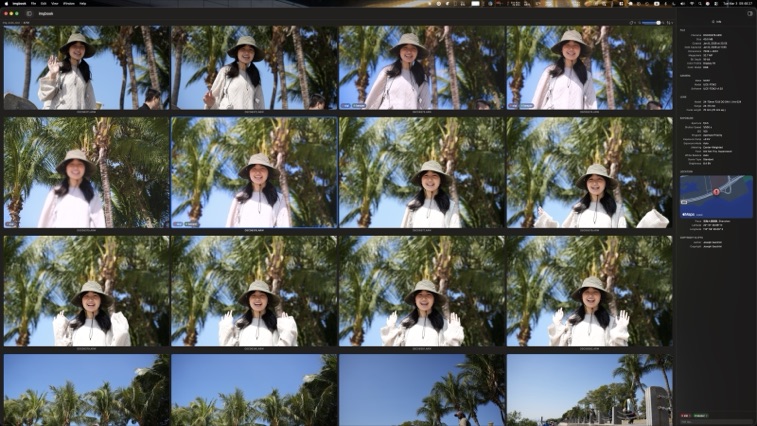
Color tags, smart sorting, and a grid that loads instantly — even with thousands of RAW files.
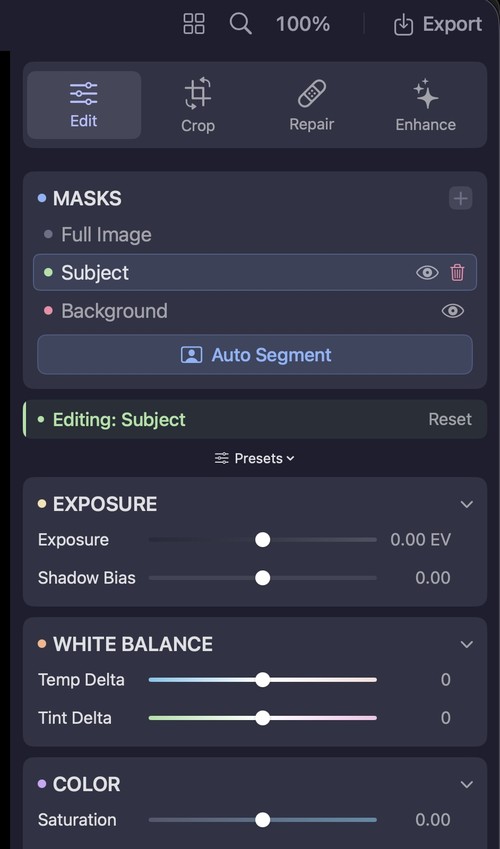
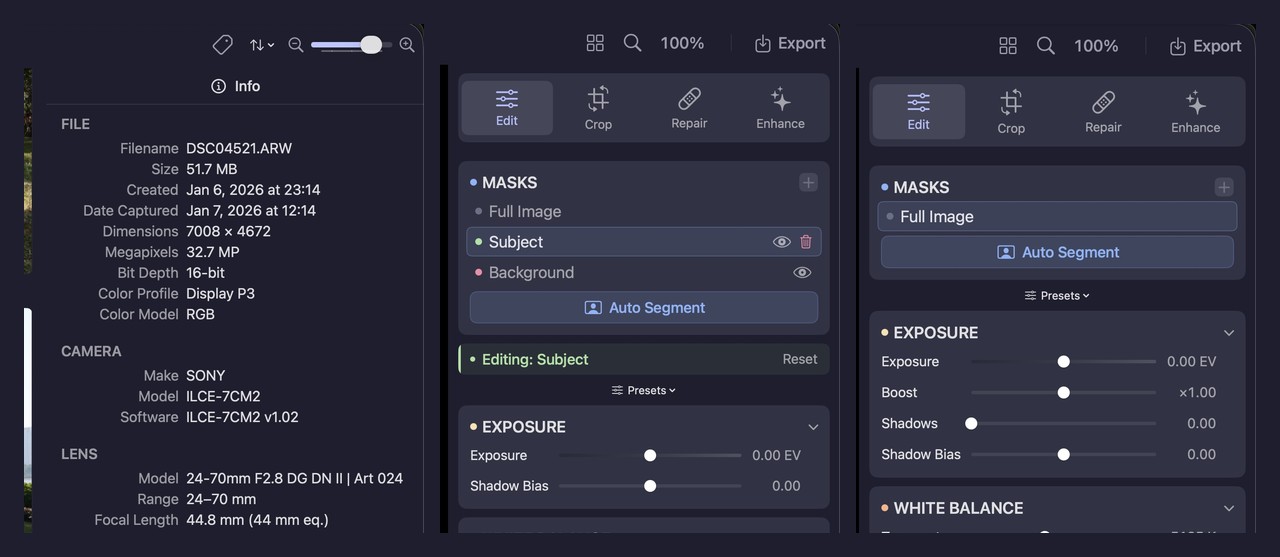
AI auto-segmentation separates subject and background. Apply edits to each independently.
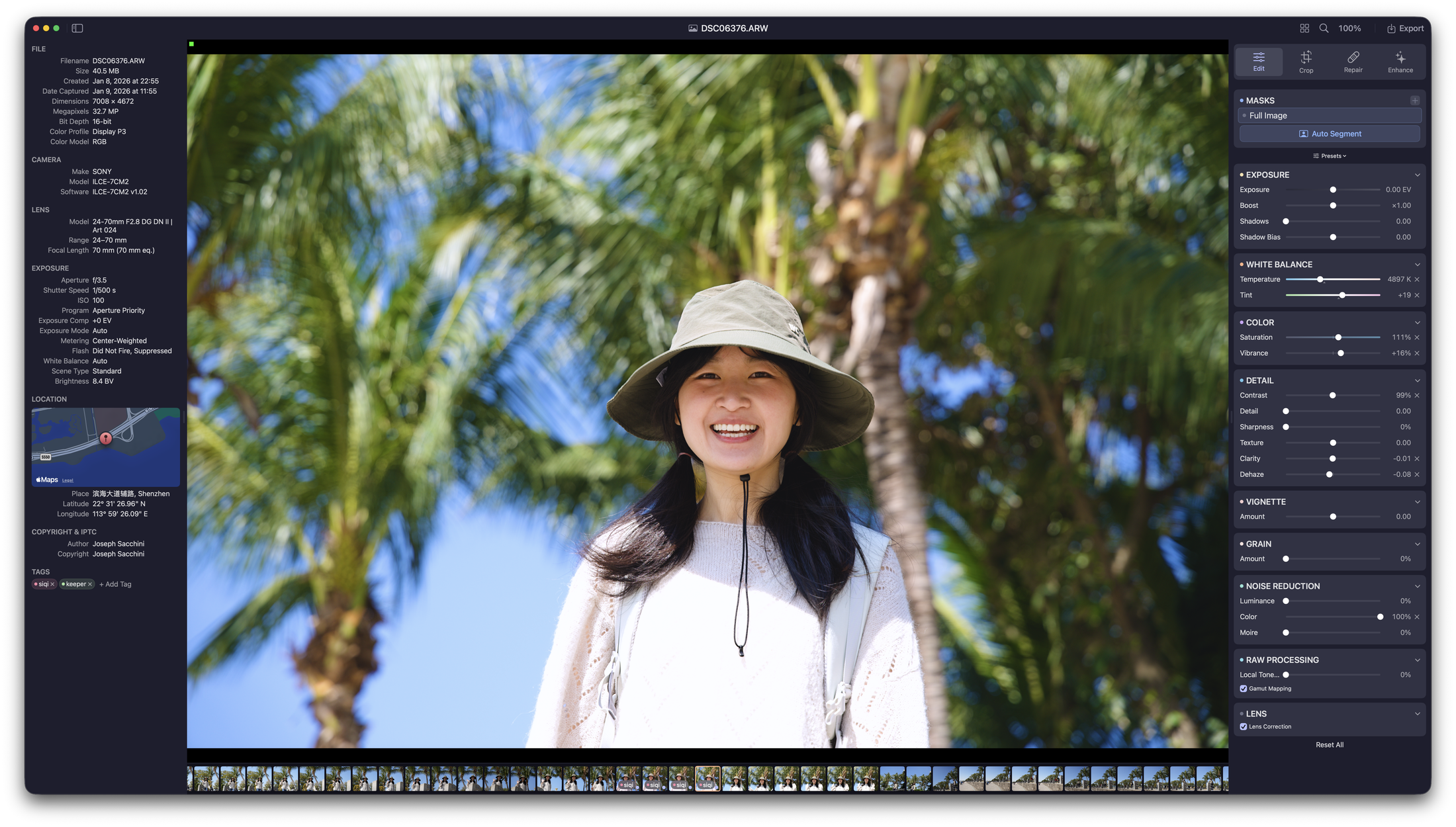
Exposure, white balance, color, detail, noise reduction, lens correction — all in a clean, focused sidebar.
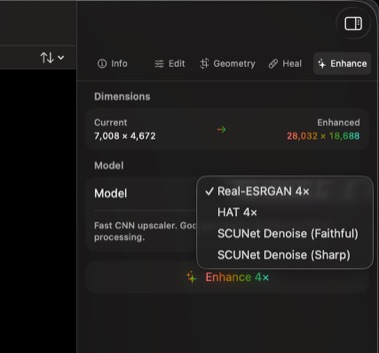
Real-ESRGAN, HAT, and SCUNet models built in. Upscale, denoise, or both.
Edits live in tiny sidecar files. Your RAW files are never touched.
Aspect ratio presets, horizon detection, and rotate/flip tools.
Auto-detect sensor dust and remove it with Laplacian diffusion inpainting.
A fully featured import workflow that puts you in control. Sort by date, camera, lens — build the library structure that makes sense to you.
No cloud. No account. No tracking. Everything stays local.
Native RAW decoding for Canon, Nikon, Sony, Fuji, and more.
9 color tags to organize your library however you like.
Small download, fast startup, zero clutter. Built lean on purpose.
Batch export with custom naming. Send straight to Photos or any folder.
That's it. All features, all updates, all the time.